
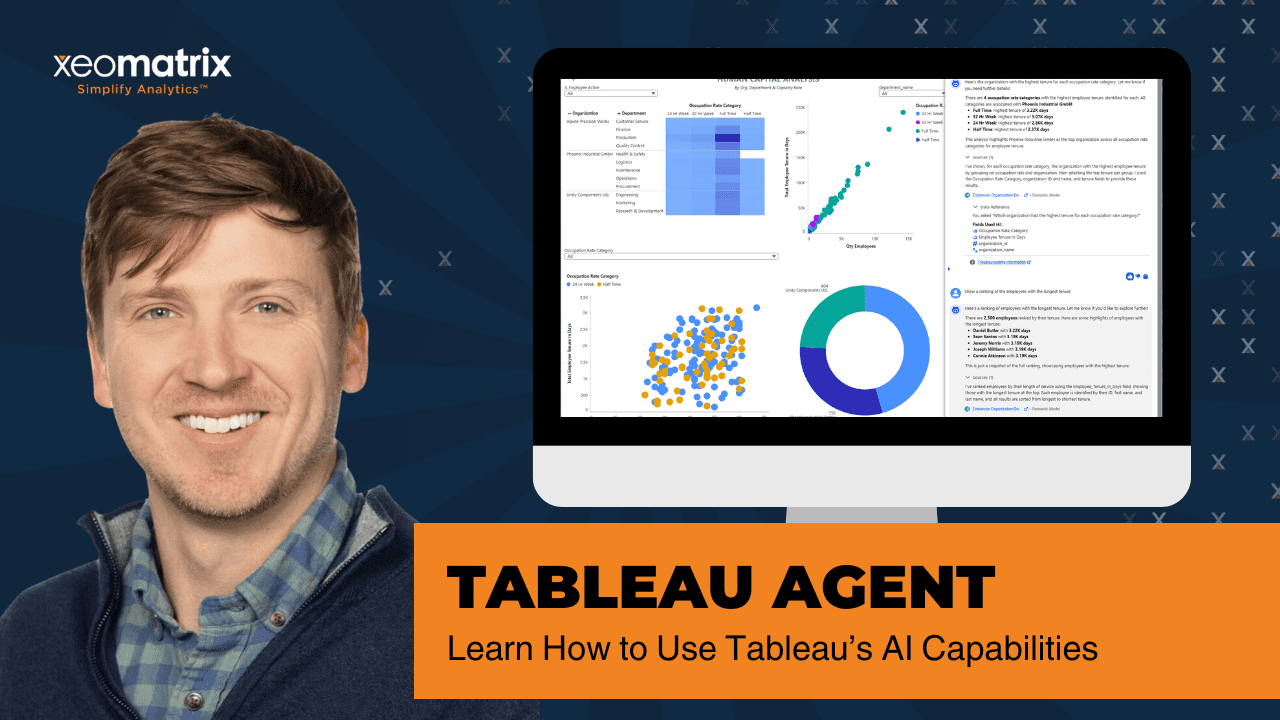
Analytics is shifting. The curiosity of business users has been piqued by the promise of conversational analytics, which lets them ask questions in plain language and get answers more quickly. The Tableau Analytics Agent is part of that shift, translating natural language into queries, calculations, and visualizations based on the structure and meaning defined in the data. With the right foundation, it opens the door to faster exploration.
In a recent walkthrough, we introduced Tableau Agent and explained how it can simplify dashboard creation, speed up analysis, and make Tableau more approachable for new users. While still in beta at the time of the recording, Tableau Agent points toward a future where conversational analytics becomes part of everyday reporting.
What Is Tableau Agent?
Tableau Agent is an AI-powered assistant inside Tableau designed to help users interact with data using natural language. Instead of manually building charts or performing calculations, users can describe what they want and let the tool handle the setup.
Tableau Agent appears in Tableau with a small Einstein icon and currently supports key actions such as:
- Building visualizations
- Filtering and sorting data
- Creating calculated fields

For organizations trying to make analytics more accessible across teams, this represents a major shift.
Build a Visualization with Plain Language
One of the most practical uses of Tableau Agent is helping users quickly create charts.
For example, you could type a request such as:
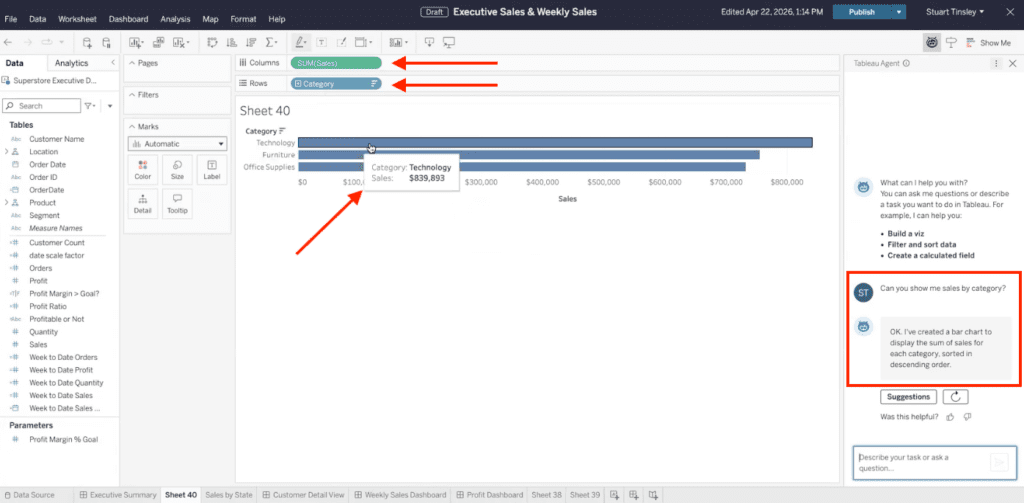
“Show me Sales by Category.”
The agent would then place the correct fields into the Tableau view and generate a chart, likely starting with a bar chart. This gives you an instant starting point without needing to understand Tableau’s drag-and-drop interface.
That matters because many business users know what question they want answered, but not always how to build the visualization themselves.
Instead of spending time configuring and creating, you can begin with a working chart and refine it from there.
Create Calculated Fields Faster
Another strong capability is the ability to generate calculated fields.
For example, you could ask Tableau Agent to create a formula for Year-to-Date Sales. Instead of manually writing logic, the system builds the calculation for the user.

This can save time for experienced analysts and remove friction for less technical users who may struggle with syntax or date logic.
Calculated fields are one of Tableau’s most powerful features, but they can represent a learning curve for casual users. Tableau Agent can help bridge that gap.
Filtering and Sorting Without Manual Setup
In addition to building charts and formulas, Tableau Agent can also help with filtering and sorting data.
That means users may be able to request focused views faster, without navigating the controls to create it.
For busy teams working with sales dashboards, finance reporting, or operational data, reducing these small friction points can create meaningful productivity gains over time.
Watch the Intro to Tableau Walkthrough
Great for New Tableau Users
Tableau Agent can be especially helpful for beginners.
A new user may open Tableau, see dozens of data fields, and feel unsure where to start. Tableau Agent lowers that barrier by turning simple requests into usable dashboards or worksheets.
Instead of training every new employee on every Tableau function immediately, companies may be able to shorten the learning curve and help users become productive faster.
What’s Coming Next: Dashboard-Level Questions
We can look forward to a future where the Agent could run directly within dashboards. Imagine opening an executive sales dashboard and asking:
- What were sales like last year?
- Which region declined the most?
- What products drove growth this quarter?
Instead of manually filtering charts or drilling into worksheets, users could ask direct questions and receive immediate answers. This is conversational analytics.
If fully realized, this would make dashboards far more interactive and useful for executives and decision-makers.
Why Tableau Agent Matters for Businesses
AI in analytics is not just about automation. It is about helping more people use data confidently.
Many organizations invest heavily in dashboards but still struggle with adoption. Common barriers include:
- Slow report turnaround times
- Dependence on a few power users
- Limited self-service analytics maturity
Tableau Agent has the potential to reduce these issues by making analytics easier to access through conversation.
How XeoMatrix Helps You Prepare for AI-Powered Analytics
Tools like Tableau Agent are powerful, but success still depends on clean data, strong governance, and dashboards designed with business goals in mind.
That is where XeoMatrix helps organizations move beyond features and into results. From Tableau implementation and dashboard design to data strategy and AI readiness, XeoMatrix helps companies modernize their analytics environment for what comes next.
If your team is exploring Tableau Agent, Tableau AI capabilities, or the future of conversational analytics, XeoMatrix can help you build the right foundation today.