
Organizations have spent years building trusted dashboards, governed data sources, and standardized business metrics. Yet many employees still struggle to find the right dashboard, understand how a KPI is defined, or determine which report leadership actually uses. As organizations begin adopting AI, they face a new question: can AI leverage those trusted analytics assets instead of bypassing them?
That question is driving interest in Tableau MCP.
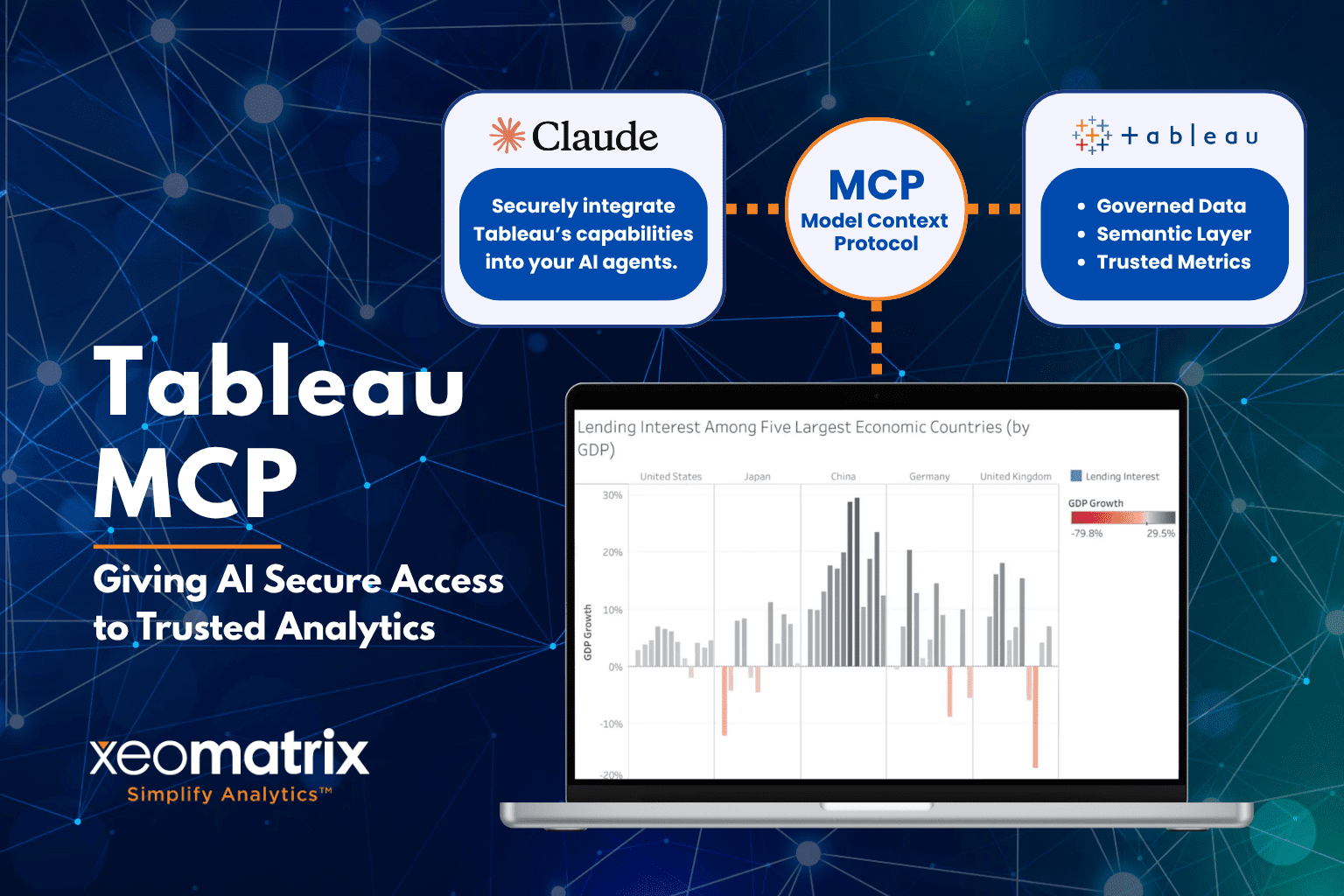
Tableau MCP helps organizations extend the value of the analytics they’ve already built. By implementing the Model Context Protocol (MCP), Tableau gives AI assistants a standardized and secure way to discover dashboards, understand business definitions, retrieve metadata, and use trusted analytics assets already managed within Tableau. Instead of treating AI as a separate experience, organizations can connect it to the business context and trusted analytics they’ve already established.
What Is Tableau MCP?
Tableau MCP allows AI assistants to interact with Tableau using a standardized, secure protocol. Rather than requiring custom integrations for every AI application, Tableau exposes governed analytics resources through the Model Context Protocol (MCP), an open standard designed to connect AI with external tools and data sources.
Within Tableau, MCP gives AI assistants access to governed dashboards, published data sources, metadata, business definitions, and other analytics assets that users already rely on. Instead of searching through projects or documentation manually, users can ask questions in natural language while the AI retrieves relevant information from Tableau’s governed analytics environment.
For example, a user might ask questions such as:
- Which regions experienced the largest revenue decline last quarter?
- What KPIs does leadership review each month?
- What data source powers this workbook?
Instead of learning where information lives, business users can focus on asking questions while AI navigates Tableau’s governed analytics environment on their behalf.
Why Context Matters in AI Analytics
AI can generate answers remarkably well. The harder challenge is generating answers that reflect your organization’s business definitions, governance standards, and analytical framework.
Many organizations have spent years defining metrics, establishing reporting standards, documenting business rules, and creating trusted sources of information. Without access to that context, AI-generated responses can vary significantly depending on how a question is asked or how the underlying data is interpreted.
This is where Tableau MCP becomes particularly valuable. By giving AI access to Tableau’s existing business definitions, metadata, and governance, organizations can ground AI interactions in the same analytical foundations already used across dashboards and reports. Rather than relying solely on raw data or statistical inference, AI can use the business context that organizations have already established.
As AI adoption accelerates, the quality of an organization’s data governance, metadata, and semantic foundations may become just as important as the capabilities of its AI models. Strong definitions, consistent metrics, and well-maintained analytics assets provide the context needed for AI to produce reliable, repeatable, and trustworthy results.
Tableau MCP and Agentic AI
Most people think of AI as answering questions. Agentic AI goes a step further by allowing AI to determine which tools it needs, retrieve relevant information, and combine those results into a more complete answer. Tableau MCP enables AI assistants to use Tableau as one of those tools.
Imagine a sales executive asks Claude:
“Why did revenue decline in the Southwest last quarter?”
Behind the scenes, the AI assistant, Claude in this case, could:
- Search Tableau for relevant dashboards based on the user’s request.
- Retrieve trusted metrics and business definitions.
- Compare current performance to previous periods.
- Generate a narrative that explains the findings and highlights key trends.
- Surface related dashboards or supporting analyses.
- Recommend additional questions to investigate.
This moves AI beyond simply answering questions and closer to acting as a knowledgeable guide through an organization’s trusted analytics environment.
Tableau MCP Opens New Possibilities for Developers
For developers, analytics engineers, and data teams, Tableau MCP provides new opportunities to integrate AI applications with existing analytics workflows. Tableau MCP exposes a collection of tools, resources, and prompts that AI applications can use to interact with Tableau content and metadata.
Potential use cases include analytics assistants that help users locate dashboards, applications that explore metadata and lineage information, automated reporting workflows, embedded analytics experiences, and tools that support workbook quality assurance processes. Because MCP is an open standard, organizations are not limited to a single AI provider or interface. Claude is one example, but the broader ecosystem continues to expand as adoption grows.
This flexibility allows development teams to experiment with AI-powered analytics experiences while continuing to leverage the Tableau infrastructure they have already built.
How Can Tableau MCP Change Your Workflow
For most organizations, the immediate value of Tableau MCP won’t come from replacing existing dashboards or analytics processes. Instead, it can help make those resources easier to discover and use.
Today, business users often spend significant time searching through project folders, opening multiple dashboards, identifying the correct data source, understanding how a metric is defined, or determining who owns a particular report. Tableau MCP creates opportunities for AI assistants to help navigate that complexity. Instead of manually digging through folders, workbooks, and documentation, users can ask questions in natural language while AI identifies trusted resources, explains business context, and points them toward relevant dashboards and analytics assets.
For analytics teams, this can reduce repetitive requests that consume valuable time. Questions such as “Which dashboard should I use?”, “What does this KPI mean?”, or “Where can I find this data?” may be answered more efficiently when AI has access to Tableau’s metadata and business context.
The long-term impact may be less about generating new analyses and more about helping organizations get greater value from the analytics investments they have already made. As Tableau environments grow larger and more complex, helping people find, understand, and trust existing analytics may become just as valuable as creating new dashboards in the first place.
Security, Permissions, and Trust
As organizations explore AI-powered workflows, security and permissions remain important considerations. Connecting AI applications to business data and analytics assets requires careful attention to permissions, access controls, and organizational policies.
Tableau MCP respects Tableau’s existing security model. AI assistants only have access to the dashboards, metadata, and analytics assets available to the authenticated Tableau user, allowing organizations to extend AI capabilities without bypassing established permissions.
Organizations that invest in trusted analytics, strong business context, and effective security practices will be better positioned to adopt AI with confidence. Rather than replacing existing analytics and data management practices, Tableau MCP helps extend them into AI-powered workflows while preserving the trust that organizations have worked hard to build.
Tableau MCP Resources
For more information on Tableau MCP, check out: